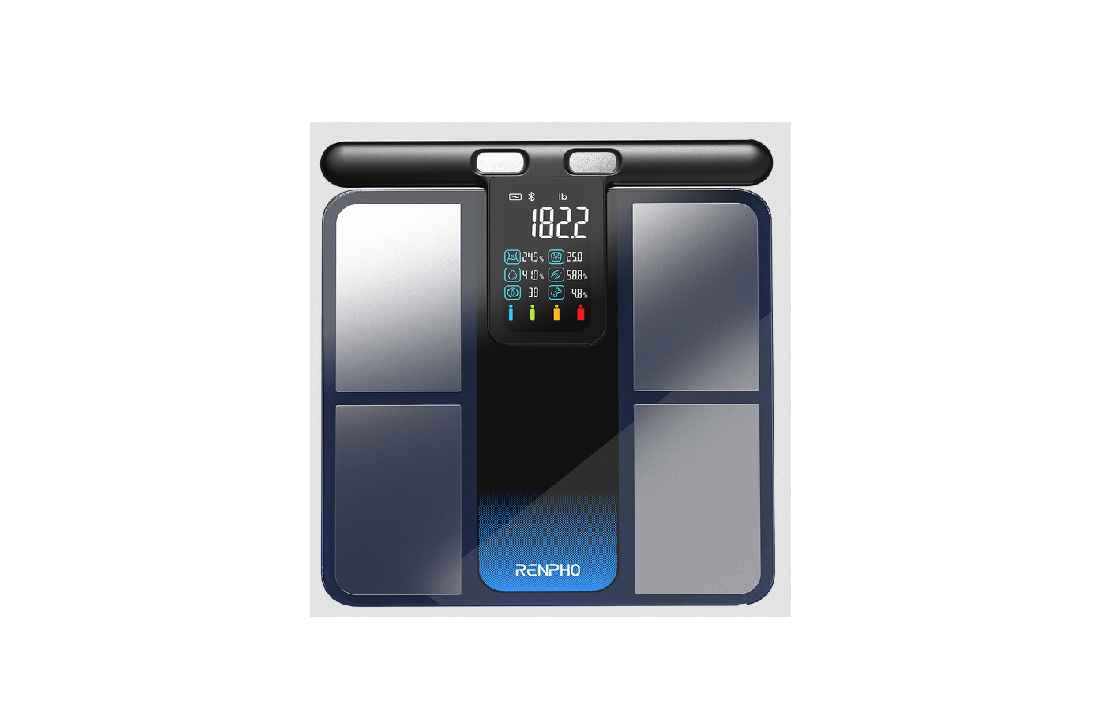
RENPHO R-MSC01 Morpho Scan Body Composition Scale User Manual

Body Composition Scale

Important Safety Instructions
READ ALL INSTRUCTIONS CAREFULLY BEFORE USE.
- This appliance is not intended for use by persons (including children) with reduced physical, sensory or mental capabilities, or lack of experience and knowledge, unless they have been given supervision or instruction concerning use of the appliance by a person responsible for their safety.
- Children should be supervised to ensure that they do not play with the appliance.
- The scale is for household use only and not for medical or commercial purposes. It should not be used in diagnosing a disease, disorder or abnormal physical state.
- Children under 8 or individuals who are pregnant, have osteoporosis, a pace- maker, artificial joints, portable ECG or other metal implants should use the scale for weighing purposes only and make sure to wear shoes to prevent any electric current when stepping onto the scale.
- All body composition data provided is for reference and should not be used as a substitute for advice from a licensed healthcare professional.
- Do not overload the scale. (Maximum Capacity: 400 lbs / 180 kg)
- Inspect the scale for any damage before each use. Do not use a damaged scale to avoid inaccuracy or injury.
- Only use the provided charging cable and charger (DC 5V 0.5A, not included) to charge the scale.
- To ensure accuracy, use the scale on a hard, flat and dry surface.
- To avoid interference or danger, do not use the scale in an environment near equipment with strong electromagnetic fields.
- To prevent injury, do not stand on the edges of the scale, jump on or stomp it.
- The scale is a delicate and precise measuring device. Handle with care to avoid breakage.
- The scale is not waterproof. Keep it dry and never submerge it in water. To clean the surface, use a damp cloth or glass cleaner. Do not use soap or chemical cleaning agents.
- Do not expose the scale to direct sunlight or use it in high temperatures or extremely humid areas. Store the scale in a cool, dry place.
- Do not attempt to disassemble the scale for any reason, as this may cause damage or void the warranty.
About the Battery
- Do not expose the appliance or battery to excessive temperatures.
- Be aware of the risk of terminals of the battery-operated appliance or battery being short-circuited by metal objects.
- This appliance contains batteries that are non-replaceable. When the battery is at end of life, the appliance shall be properly disposed of.
- Do not dismantle, open or shred battery.
- Do not subject cells or batteries to mechanical shock.
- In the event of a cell leaking, do not allow the liquid to come in contact with the skin or eyes. If contact has been made, wash the affected area with copious amounts of water and seek medical advice.
- Secondary cells and batteries need to be charged before use. Always use the correct charger and refer to the manufacturer’s instructions or product manual for proper charging instructions.
- Do not leave a battery on prolonged charge when not in use.
- After extended periods of storage, it may be necessary to charge and discharge the cells or batteries several times to obtain maximum performance.
- CAUTION – The battery used in this device may present a risk of fire or chemical burn if mistreated. Do not recharge, disassemble, heat above 100°C (212°F).
SAVE THESE INSTRUCTIONS
What’s in the Box
- MorphoScan x1
- USB-C Charging Cable x1 (For charging only, not for data transfer)
- User Manual x1
- Quick Guide x1
About Your MorphoScan

Icons

Initializing/Resetting Your MorphoScan
- Before first use, press the Reset Button or connect the scale to a power source using the provided charging cable and charger (not included) to initialize the scale.
- To reset the scale, press the Reset Button.
Note: After resetting the scale, step on it for measurement only when “000” or “00” is displayed.

Charging Your MorphoScan
Charging Time: approx. 3 hours DC 5V 0.5A Charger (Not Included)

Installing the App & Pairing
Download the RENPHO Health App

Scan the QR code below or search for “RENPHO Health” from the App Store or Google Play to download the app. System requirement: iOS 12.0 or later, Android 7.0 or later.
Note: Due to continuous updates and improvements, the “RENPHO Health” App may appear slightly different.
Log in / Sign up
a. Log in directly with an existing RENPHO App account.
b. If you do not have any RENPHO App account, tap “Sign up” using your email address and fill in the personal information; this step is required for calculating your health measurements accurately.
Note: You may also log in using Guest Mode if you do not wish to register. However, your measurement data will not be saved if you log it in on another device.
Pair the Scale
Before pairing, enable the wireless connectivity on your smartphone.
a. Open the RENPHO Health App, place the scale on a hard and flat surface, and step onto it with bare and dry feet.
b. Tap “+” in the upper-right corner of the “Home” page and select your body composition scale from the device list.
c. Follow the in-app instructions to complete pairing.
Using Your MorphoScan
∗ Create your correct user profile in the RENPHO Health App before taking your first measurement. This ensures your measurements are precisely recorded and associated with your profile.
- Place the scale on a flat, hard surface and step on the scale’s electrodes with bare, dry feet. Ensure there is space between your knees and thighs.

- Grasp the handle with your thumbs on the Thumb Electrodes and the other fingers on the Four-finger Electrodes.
- Lift and hold the handle to the proper level with your arms naturally hanged, slightly bent and away from your body and abdomen. Stand upright, keep still and wait for your final measurement(s) to be shown on the scale’s display.

- After measuring, slightly pull the handle (ensure the extension is no more than 30 cm) and carefully put it back to the scale in place. The scale will transmit the data to the app. Open the app to sync and view your detailed measurements, track your progress, and access additional features and insights.
Troubleshooting Guide

Technical Specifications

Warranty Policy
Your RENPHO product purchase is covered by a one-year limited manufacturer warranty from the date of delivery.
For warranty terms and conditions, please visit: https://renpho.com/pages/warranty-terms-and-conditions
Note: Product registration is not required for the warranty. If you choose not to register your product, it will not void the product warranty.
Customer Service
Please feel free to contact us if you have any questions or concerns. RENPHO Customer Service Team guarantees a quick response and hassle-free solutions to any issue you may have within business hours.
Tel:
+1(844) 417 0149 (US&CA)
Monday–Friday 9:00AM–4:30PM
1800 MY RENPHO (1800 69 7367) (AU ONLY)
Monday–Friday 9:00AM–6:00PM (AEST)
+44(0)7434 666088 (UK ONLY)
Monday–Friday 9:00AM–5:00PM (GMT)
+49 40 23965285 (DE ONLY)
Monday–Friday 9:00AM–6:00PM (CET) 23388392 (HK ONLY)
Email:
support@renpho.com (US & CA)
support-au@renpho.com (AU)
support-hk@renpho.com (HK)
support-eu@renpho.com (UK & EU)
∗ For defective products or the return of items, please contact us with your order number within the specified warranty period. DO NOT dispose of any product parts as they may be required for inspection/repair.
Distributor
Sunnysoft s.r.o. Kovanecka 2390/1a 190 00, Praha 9 – Liben
www.sunnysoft.cz