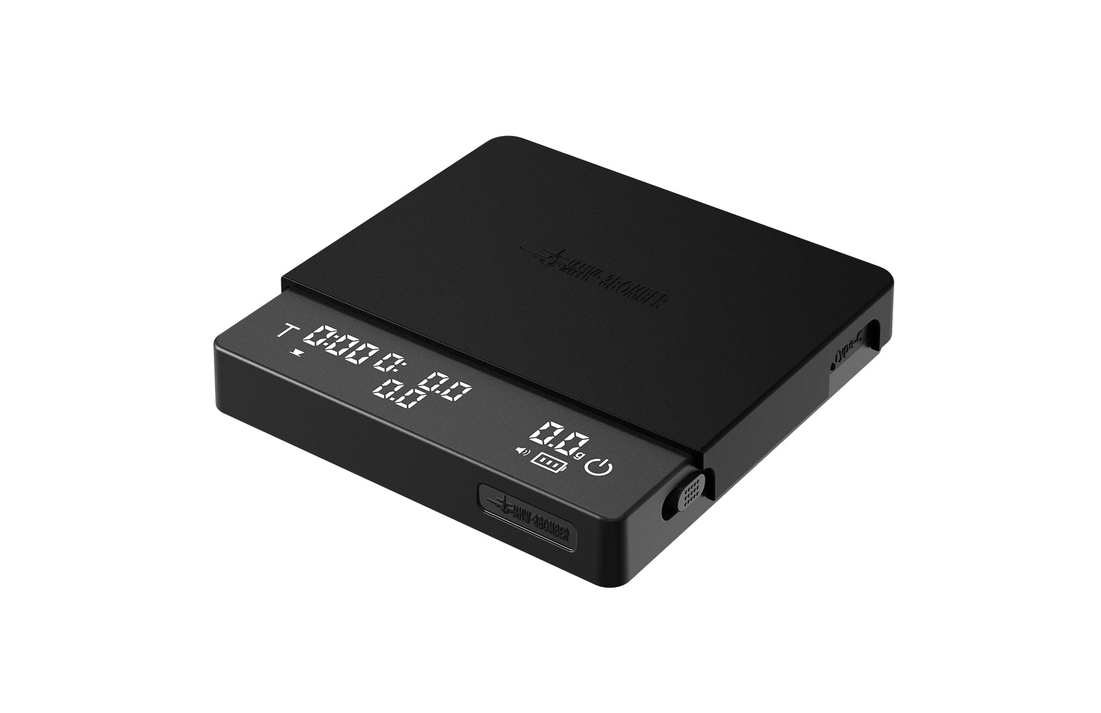
MHW-3BOMBER Cube Coffee Scale 3.0 Pro Instructions
 https://mhw3bomber.com/blogs/product-guides/product-user-guide-cube-coffee-scale
PARAMETERS

SAFETY INSTRUCTIONS AND PRECAUTIONS
- Do not use fast charging power source or high-power adapter, and 5V, 1A-2A adapter is advised.
- Place the product on a flat and stable surface before use.
- Do not use the device while charging.
- Charge before the battery completely depleted. If the battery indicator light flashes, please charge it as soon as possible.
- Disconnect the power after the battery is fully charged to prevent overcharging and extend battery lifespan.
- The operating surface temperature range is 0°C to 60°C. Please use configured heat-resistant silicone pad for protection.
- The surface of the coffee scale is waterproof, but please avoid liquid entering gaps or the charging port.
- Do not disassemble the device.
- Do not place objects exceeding the maximum weighing capacity to avoid permanent damage.
- Clean the scale weighing area after each use. Do not leave objects on for extended periods.
- Store the scale in a dry, stable, and non-corrosive environment.
- Keep magnetic objects away from the device to prevent damage.
- After the device is powered on, the scale will be activated when the weight exceeds 0.3 grams. The accuracy is 0.1 gram for weights.
- This device is an auxiliary coffee utensil and should not be used for commercial trade or other official measurement purposes.
▲ Electrical Safety Warning: Do not use fast-charging power source, and 5V, IA-2A adapter is advised.
▲ We are not responsible for any device damage, inaccuracies, or other adverse consequences resulting from failure to follow the above precautions.
PRODUCT COMPONENTS AND ACCESSORIES

INTRODUCTION TO REGIONAL FUNCTIONS

FUNCTION

MODES
Manual Mode (Default Factory Setting)

Double-click  to switch to Manual Mode (Icon will not light up).
The time in minute and second on the left (max.9.59).
The middle displays the real-time flow rate, weight in grams on the right (max 2000g).
Espresso Mode

- Double-click to switch to Espresso Mode (
 Icon lights up).
 - Place the cup, automatically reset to zero (Liquid detection function is activated).
- When coffee liquid is detected, automatically start recording time, real-time flow rote, weight (if liquid drips intermittently within the first 15 seconds, it does not affect time recording):
A. lf coffee liquid is detected within the first 15 seconds, the time does not pause It will continue and automatically stop at the 15th second.
B. If the timer has been running for more than 15 seconds and liquid is detected, the timer will stop automatically. - When the data item is removed or liquid flow ceases. Time and weight will be automatically saved (the data remains displayed until a manual reset is performed, or until the cup is replaced and weight is detected).
Pour-over Mode

- Double-click the to switch to Pour-over mode (
 icon lights up).
The time in minute and second on the left (max.9.59), The middle displays the real-time flow rate, weight in grams on the right (max. 2000g). - Single-click the
 to reset, pour in the ground coffee, then press the to reset to zero and automatically record the weight of the coffee grounds(symbol will blink on the screen.
Note: After recording the coffee ground weight, moving the filter cup or dripper before water is added, and the scale will automatically reset to zero while maintaining the recorded weight. - No operation is required before water injection, and after water injection, the system automatically starts recording: time, real-time flow rate, water injection volume (solid-liquid detection function, and interruption time are still recorded normally).
Note: The will not flash when adding water, will flash to indicate a flow interruption or no longer adding water. - Extraction is complete, remove the filter cup or sharing pot, stop recording the time, The screen displays: extraction time on the left, Weight Coffee Grounds in the middle; Alternating displays of gram Weight/Powder Water Ratio on the right. (data will be displayed continuously until manually reset time or gram weight)
GRAVITY-SENSING POWER-ON

When the physical switch is turned on

the device remains in standby mode with the screen off

Gravity Activation: when a weight greater than 50g is detected, Once the weight is detected for 1 second, the device will be on automatically and reset to zero automatically powering on and resetting the scale to 0.0g
STANDBY TIME SETTING & UNIT SWITCHING

- Default standby Time: 30 minutes
- Adjust Standby Time: Press and hold and simultaneously to enter the settings. Press to select standby time 10min, 30min, or on (always on). Press to confirm and exit, or the setting will be automatically saved and exit after 10 seconds of inactivity.
- Default Weighing Unit: grams (g) Press and hold and simultaneously to enter the setting. Press to switch between grams (g) and ounces (oz) Press to confirm and exit, or the setting will automatically save and exit after 10 seconds of inactivity
CHARGING SETTING
Use the original charging cable.
*Do not use fast-charging power source, 5V 1A-2A adapter is advised.

When the physical switch is off Only the battery icon is displayed while charging.

When the physical switch is on: The battery icon indicates the charging status.
WARRANTY CARD
Thanks for purchasing MHW-3BOMBER products. With this warranty card, it can enjoy free maintenance service for 1 year from the date of purchase if the product is not disassembled or damaged artificially.
WARRANTY RULES
THE FOLLOWING CONDITIONS DO NOT BELONG TO THE SCOPE OF FREE WARRANTY:
- Damage caused by human factors such as operation, maintenance, storage and self-disassembly not in accordance with the instruction;
- Damage caused by improper operations or accidents (falling, etc.);
- Damage caused by force majeure factors (such as lightning, earthquake, fire, flood, etc.).
MAINTENANCE INFORMATION

POST-SALE SERVICE REGISTRATION

CERTIFICATION

MAINTENANCE RECORD

ABOUT US
Since our inception, mhw-3bomber has continuously focused on specialty coffee wares. While maintaining high quality, We have revolutionized traditional concepts by redefining Coffee aesthetics through innovative product designs.
IF YOU HAVE ANY QUESTIONS, PLEASE CONTACT US

https://www.instagram.com/mhw_3bomber?utm_source=qr
 MHW-3BOMBER Coffee Equipment Manufacturing (Zhongshan) Co., Ltd.
 Unit 1, 8th Floor, Building B, No. 1 Jintian Street, Fusha Town, Zhongshan City
 WWW.MHW3BOMBER.COM


