OLIMPIA SPLENDID B1018 Maestro Wi-Fi Kit Instruction

l.holleron@olimpiasplendidusa.com
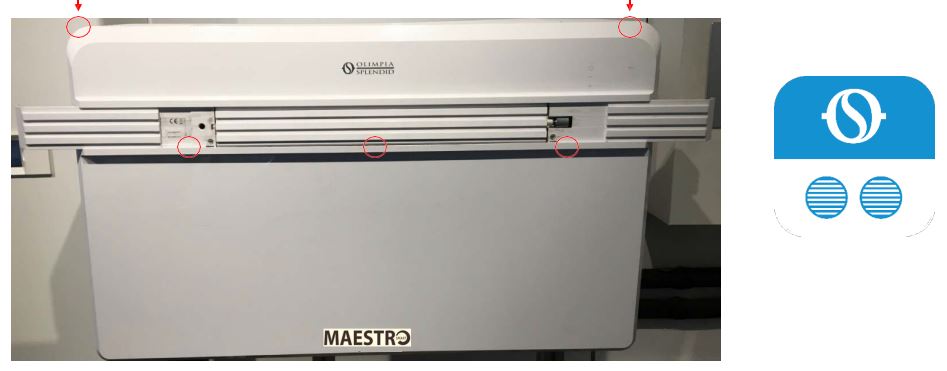
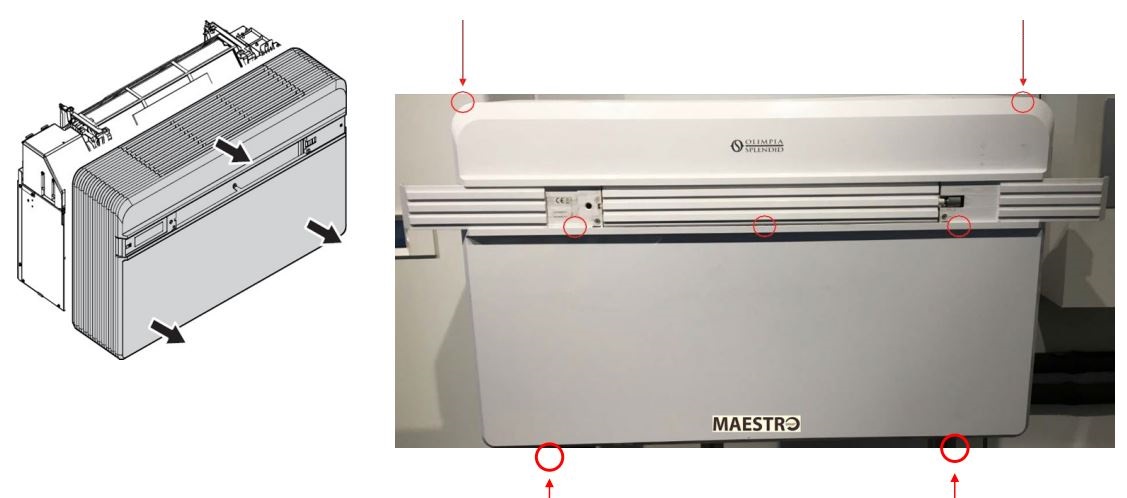
Removing the front cabinet
- 3 screws in the front
- 2 screws on top
- 2 Screws underneath
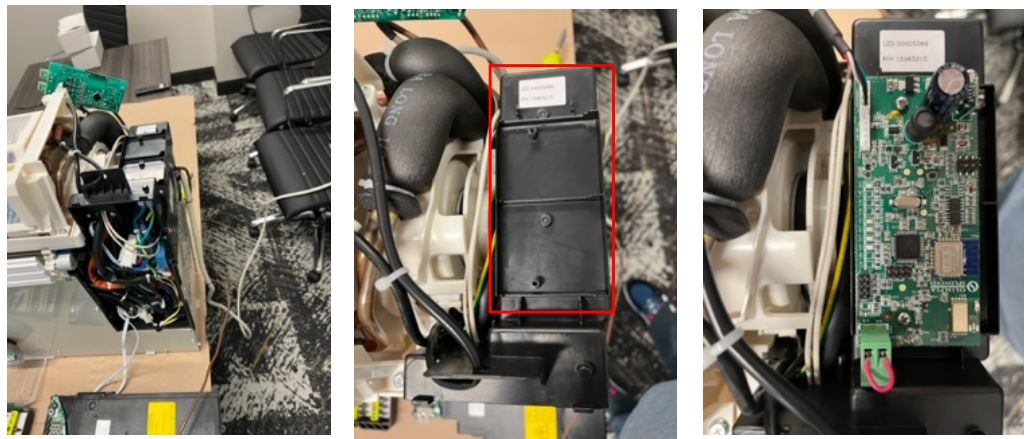
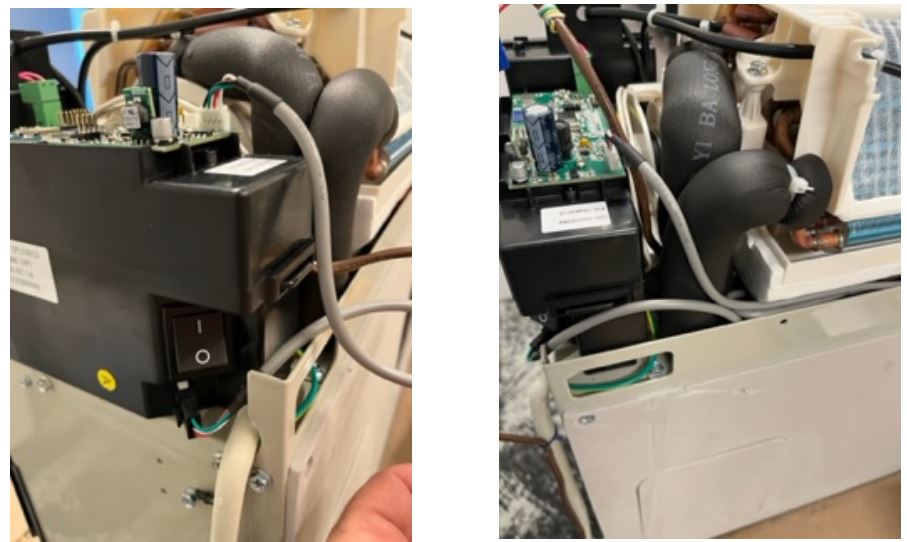
Locate and install B1018 Wi-Fi board in designated location seen below, which is at the top right of unit above touch screen display.
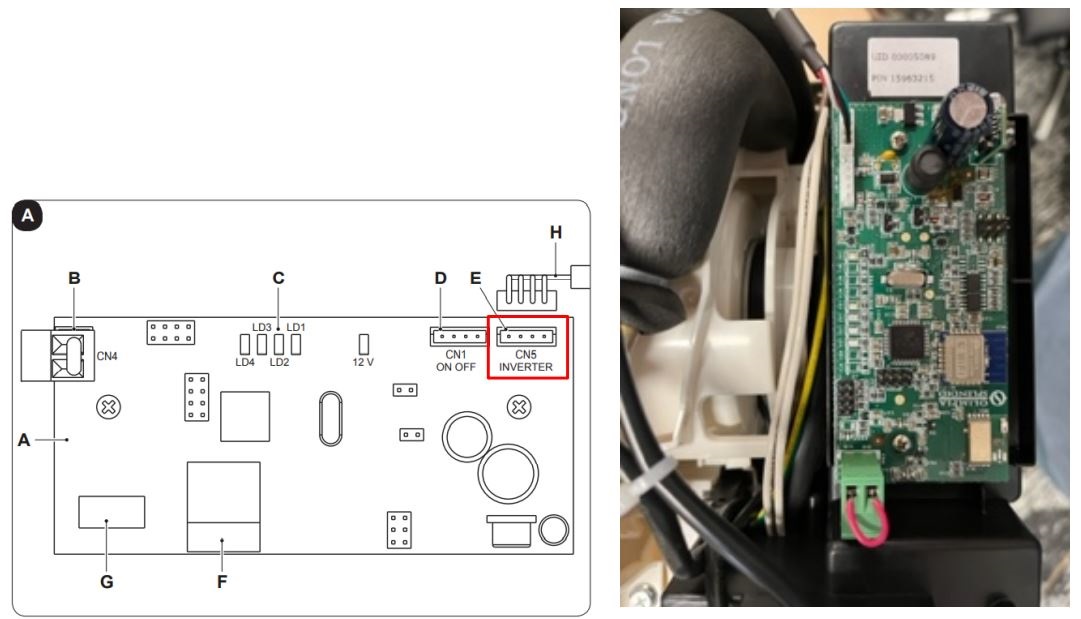
Plug in communicating wire into slot “E” labeled INVERTER.
Route communicating wire into chase behind coil and plug into plug under power switch.
Replace front cabinet and download the Maestro App from the app store for iPhone or Android devices. And follow set up instructions. B1018 Wi-Fi board will need to be on 2.4GHz to operate properly.