Carrier v5.2 System Design Load User Guide
Overview
System Design Load (SDL) v5.2 replaces v5.11, the legacy version of SDL using 2-D modeling. v5.2 implements features to modernize project data management and software installation. This gives the software greater longevity as computer operating systems evolve. It also implements the same license key control used in SDL v6. Further, v5.2 makes a number of small feature updates, and corrects software problems.
While this will be the last update to SDL v5, we continue to offer the software and will provide ongoing help desk support for v5.2. Going forward development resources will focus on adding new technical features to the SDL v6 series of releases.
Transitioning from SDL v5.11 to v5.2 is fast and easy. In v5.2, all of the following are the same as in v5.11:
- Program workflow.
- Program input data and input screens
- Program reports
- Calculation results (unless affected by a problem fix).
Further, v5.11 projects can be converted into the new .CSDL5 project file format. Conversion transfers all input data. Please use the “Convert Previous Version” option on the Project Menu to do this.
Contents
Project Management
System Design Load v5.2 adds features to make project data management simpler and more flexible
- New Project Data Management Scheme
Each project stored as a single .CSDL5 file
Project files can be managed like any other document file. Save the file wherever you like. Move the file whenever you like.
Eliminated requirement that a project be a folder of multiple files that must stay in one location. - Simplified Project Menu Options
Only necessary options are now New, Open, Save, Save As
Archive, Retrieve options no longer needed. - Updated Convert Previous Version option.
Converts complete projects from versions v4.0 through v5.11 to .CSDL5 format. All existing input data transferred.
Converts legacy v1.2 projects to .CSDL5 format.
Converts from either a project archive file (.E3A) or from a SDL project folder.
Software Installation and Operation
System Design Load v5.2 adds features to make software installation easier and program operation more flexible
- Program Installation
Uses a single, self-contained installation file.
Carrier X Builder Framework is no longer required.
Automatically creates a desktop icon to launch the program.
Creates a Carrier eDesign group in the Start Menu and places System Design Load v5.2 item in that group. - License Key for Program Activation
A license key must be entered when you first run the program.
NOTE: If you have SDL v6 installed, v5.2 will inherit the license key from v6 as both v5.2 and v6 use the same key.
If you haven’t installed SDL v6, license key can be obtained from your most recent renewal email or new license email.
The license key is linked to your HAP software license and expires when the license expires. It covers use of both SDL v6 and v5.2
A new license key is provided each time you renew your license. - Large Company IT Management Features
Installer supports silent installations.
Installer supports automated deployment of license keys
Details found in eDesign Advanced Installation Guide linked from release sheet and www.carrier.com eDesign software downloads page. - Running Multiple Instances
Now possible to run multiple instances of SDL v5.2 at one time.
Allows working on two or more projects in parallel.
Envelope Modeling
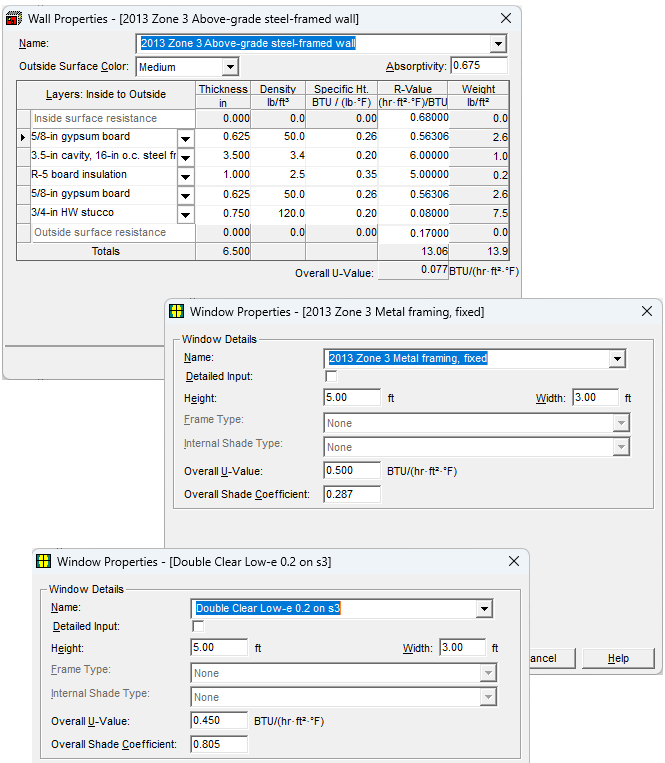
SDL v5.2 adds enhancements for modeling building envelope performance:
- Added ASHRAE Standard 90.1 prescriptive wall and roof assemblies to the list of pre-defined assemblies. The list of assemblies is synchronized with the project preference for energy standard. Standard 90.1 prescriptive assemblies can also be imported from the ASHRAE 90.1 Template projects installed with the program (see #8).
- Added the ability to select pre-defined window and door assemblies. The list of pre-defined window assemblies contains ASHRAE 90.1 prescriptive assemblies synchronized with the project preference for energy standard, and a series of generic glass types. As with walls and roofs, Standard 90.1 prescriptive assemblies can also be imported from the ASHRAE 90.1 Template projects installed with the software (see #8).
- Updated wall and roof material layer properties using information from the 2021 ASHRAE Handbook – Fundamentals.
- Expanded list of default wall and roof material layers offered.
- Because of the expanded set of material layers, implemented a two-tier selection scheme where you select a material category such as “insulations” or “masonry” first and then the list of materials within that category appears for selection.
- Revised the outside and inside surface resistance defaults to match data recommended by 2021 ASHRAE Handbook – Fundamentals.
- Revised the set of pre-defined wall and roof assemblies to simplify the list to “base” assemblies which can be selected and then customized with the desired amount of insulation. This makes the list of predefined assemblies easier and faster to work with.
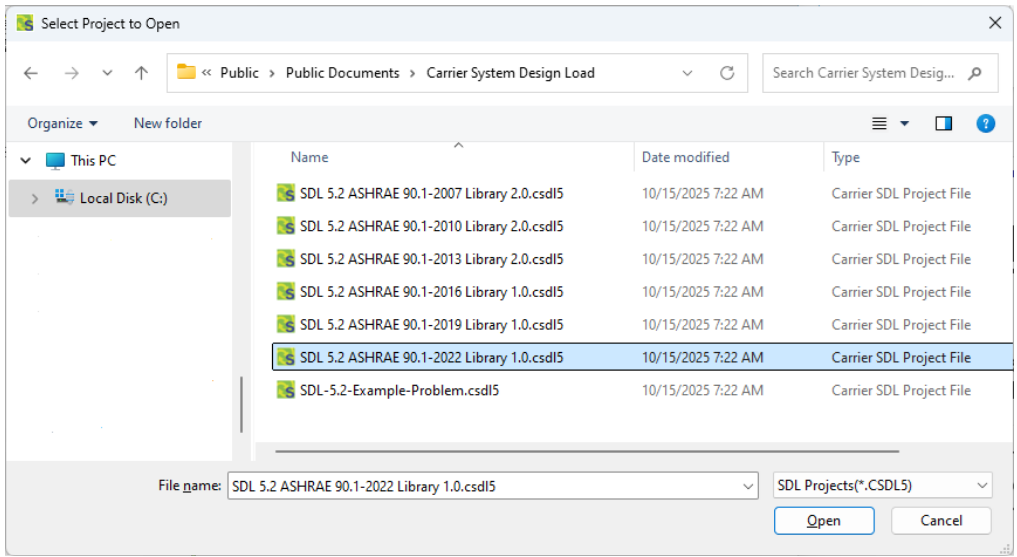
- Updated ASHRAE 90.1 Template projects for 90.1-2007, 2010, 2013 to offer prescriptive wall and roof assemblies based on the updated material layer properties. Added template projects for 90.1-2016, 2019, 2022 prescriptive assemblies. These project files are installed in the C:\Users\Public\Public Documents\Carrier System Design Load folder on your computer. One way to use these template projects is via the Import Project Data option on the Project Menu. That allows selected envelope assemblies and schedules to be imported into your working project.
Other Enhancements
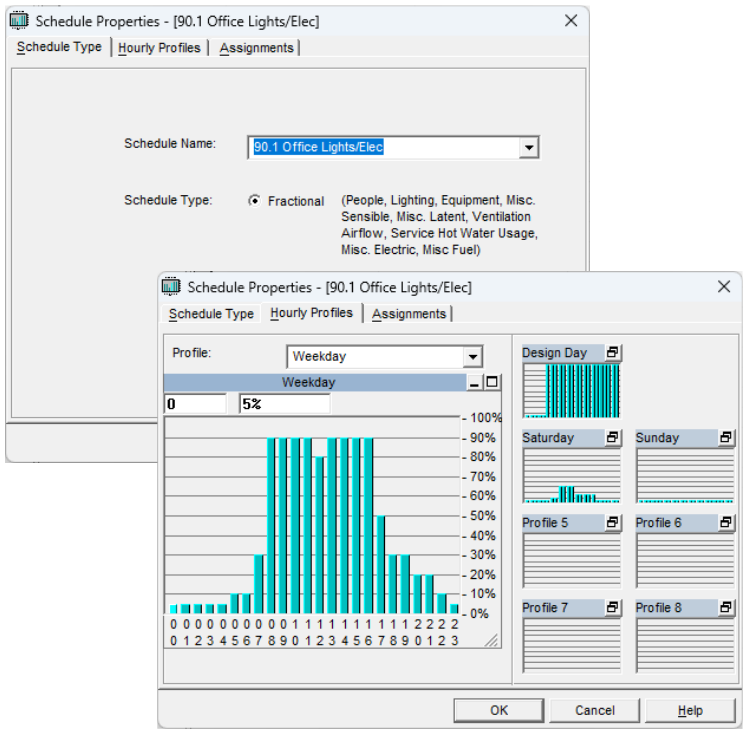
- ASHRAE Default Schedules – Added ability to select ASHRAE Standard 90.1 default schedules. The Schedule Name input now provides a drop- down list containing the ASHRAE 90.1 default schedules for various building types and heat gain types. The Name input can still be used as a text box to directly enter a name when manually creating a schedule.
- Saving Reports in PDF Format. Updated the Report Viewer to add an option for saving reports in PDF format.
- Help System. Updated Help documentation to describe all the new and revised features. The majority of changes are in chapters 1-4, 13-16, and 24.
- Example Problem. Updated and modernized the example problem used for training purposes. The .CSDL5 project file for the example is installed in the C:\Users\Public\Public Documents\Carrier System Design Load folder on your computer.
About Data Conversion & Calculation Results
- Project Conversion. Projects created with v5.11 and older versions of System Design Load can be converted to .CSDL5 project format using the “Convert Previous Version” option on the Project Menu. This converts all project input data. Calculations need to be rerun after conversion.
- Will calculation results in v5.2 be different than v5.11 for a converted project? Generally, no. Calculation results in v5.11 and v5.2 will be the same unless your project is affected by one of the problems corrected in v5.2. A detailed list of problem fixes is found in the system Design Load v5.2 help system in section 1.2 in the “What’s New in HAP” topic.
QUESTIONS?
Please contact Carrier Software Systems at
software.systems@carrier.com
Thank you!