Product Features
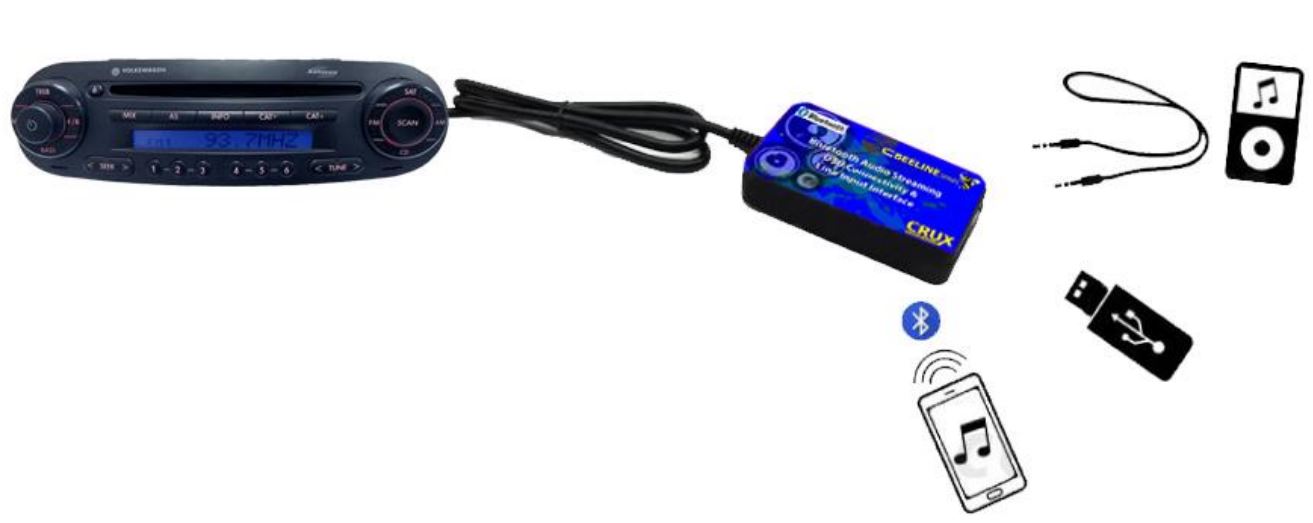
- Adds Bluetooth Music streaming to select OEM Audi and Volkswagen radios.
- USB music playback with track up, track down and folder controls from the radio panel or steering wheel controls.
- Adds 3.5mm auxiliary audio input jack.
- Hear turn-by-turn Navigation App Voice Prompts on your car audio system while in Bluetooth mode.
- USB port on the module can also be used to charge your phone.
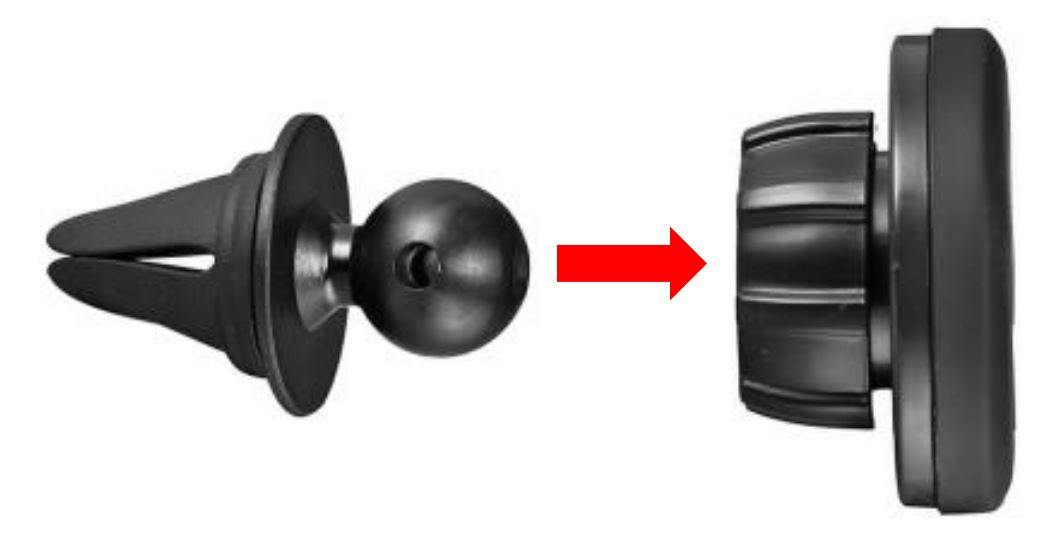
- Magnetic phone mount included.
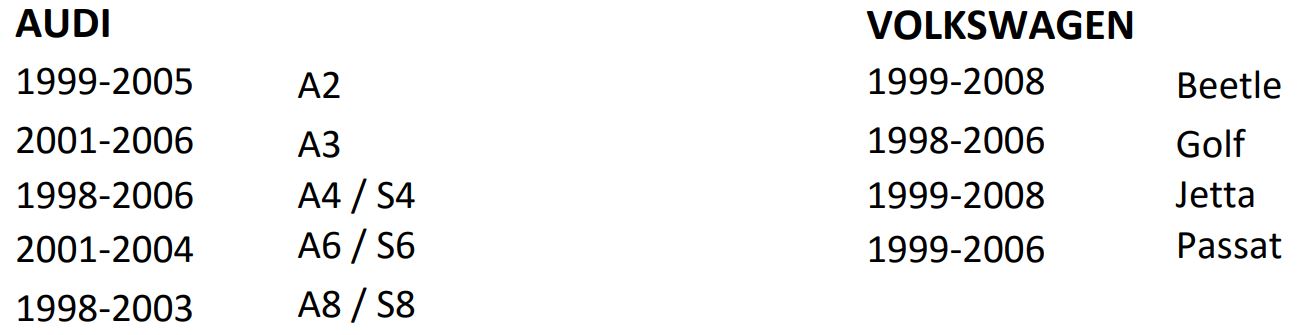
Vechicle Applications
Note
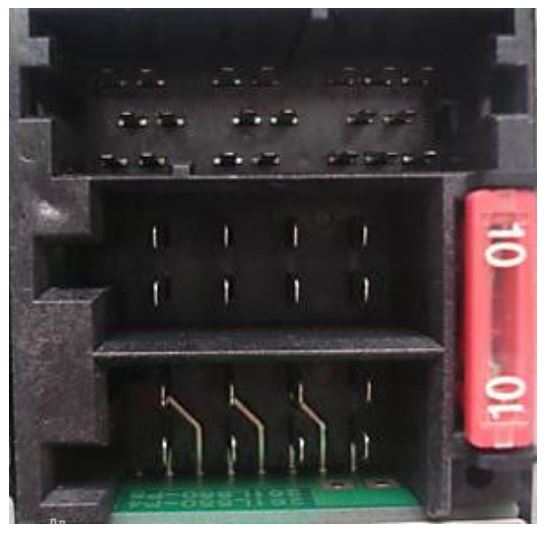
- Radio must have an 8-pin CD changer port.
- Not compatible with navigation radios.
Navigations Apps

iPod, USB flash drive
and 3.5mm cable not
included.

Installation Instructions
- Carefully remove the radio to gain access to the radio connectors.
- Locate the 8-pin CD changer port. If there is a connector plugged into this cavity, you need to unplug it.
- Plug the BLUE 8-pin connector of the BTS-VW1 to the CD changer port of the radio.
- Connect the BLACK wire with ring terminal to a solid chassis ground.
- If the line-in feature will be used, plug a 3.5mm to 3.5mm cable (sold separately) to the BTS-VW1 module and run towards the desired location.
- If a USB flash drive will be used, plug in a male to female USB cable (not included) to the BTS-VW1 module and run to the desired location.
- You can also mount the BTS-VW1 to an accessible location such as the center console or glove box, to use the 3.5mm line-in and USB features.
- Test the system for functionality before putting back the radio.
Operation
For Bluetooth function:
- Turn on the radio and press the CD button. Screen will show “CD1 TRACK1”.
- Go to the Bluetooth menu on your phone and connect to “Crux BT”.
- BTS-VW1 will announce when the phone has been connected.
- Play the music on your phone or other audio player and audio should be heard on the factory sound system.
For USB Mode:
- Plug in your USB flash drive to the BTS-VW1 USB port.
- Turn on the radio and press the CD button. Screen will show “CD1 TRACK1”.
- BTS-VW1 will announce “USB Mode”.
- USB Audio should be heard on the factory sound system. Use the radio knobs or steering wheel controls to track up and track down.
For Line-In Mode:
- Plug in a 3.5mm to 3.5mm cable (sold separately) to the BTS-VW1 USB line-in jack.
- Turn on the radio and press the CD button. Screen will show “CD1 TRACK1”.
- BTS-VW1 will announce “Line-In Mode”.
- Plug the other end of the 3.5MM cable to the audio player and press play. Audio should be heard on the factory sound system.
Magnetic Phone Mount Assembly and Use:
- Pop-in magnetic head to base socket.
- Tighten locking nut to desired tilt.
- Slide into the AC vent grille.
- Use the desired metal plate size and stick on the back of the phone or insert behind the phone case.