

PRODUCT FEATURES:
– Adds Bluetooth Music streaming to the Mazda radio with controls from the steering wheel control or radio buttons.
– USB music playback with track up, track down and folder controls from the radio or steering wheel controls.
– Adds 3.5mm auxiliary audio input.
– Hear turn-by-turn Navigation App Voice Prompts on your car audio system while in Bluetooth mode.
– USB port on the module can also be used to charge your phone.
– Magnetic phone mount included.
NOTES:
- Radio must have a 16-pin CD changer port.
- Not compatible with vehicles with DVD Navigation or factory rear view camera.
INSTALLATION INSTRUCTIONS:
- Carefully remove the radio to gain access to the radio connectors.
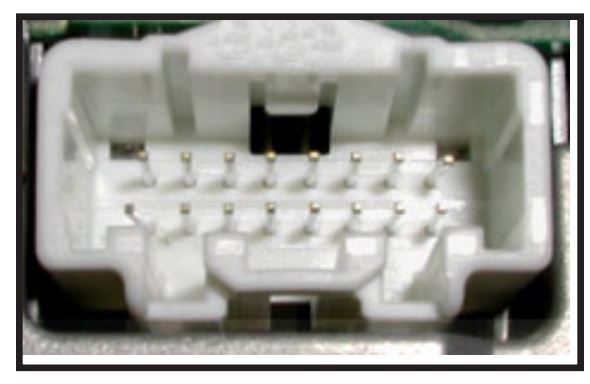
- Locate the 16-pin CD changer port. If there is a connector plugged into this cavity, you need to unplug it.
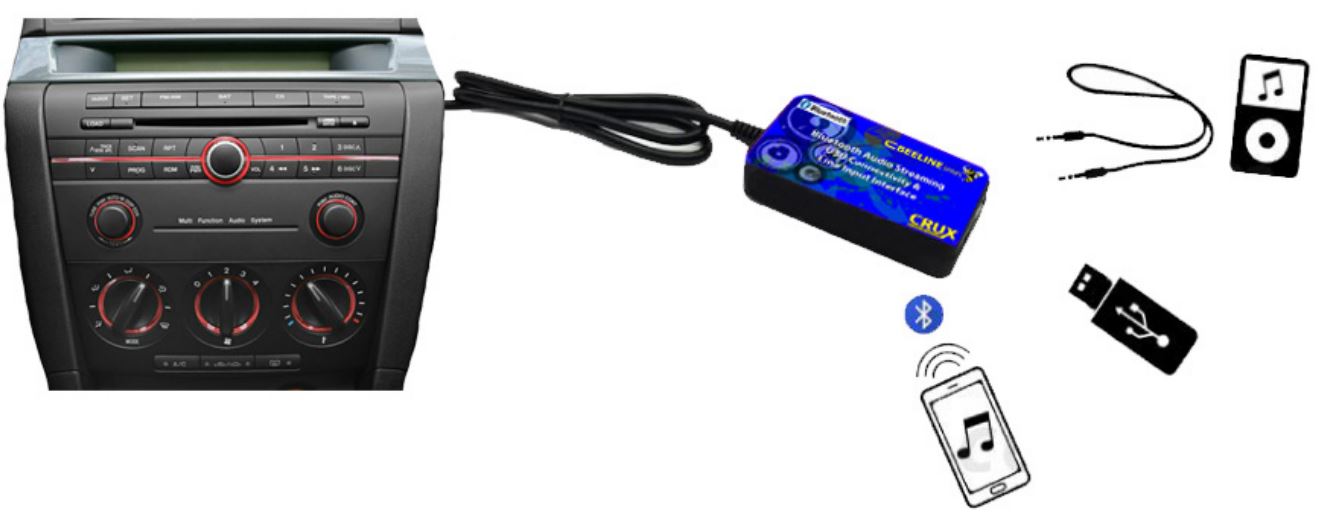
- Plug the WHITE 16-pin connector of the BTS-MZ1 to the CD changer port of the radio.
- If the line-in feature will be used, plug a 3.5mm to 3.5mm cable (sold separately) to the BTS-MZ1 module and run towards the desired location.
- If a USB flash drive will be used, plug in a male to female USB cable (not included) to the BTS-MZ1 module and run to the desired location.
- You can also mount the BTS-MZ1 to an accessible location such as the center console or glove box, to use the 3.5mm line-in and USB features.
- Test the system for functionality before putting back the radio.

OPERATION:
For Bluetooth function:
- Turn on the radio and press the CD button. Screen will show “CD1 01”.
- Go to the Bluetooth menu on your phone and connect to “Crux Audio BT”.
- BTS-MZ1 will announce when the phone has been connected.
- Play the music on your phone or other audio player and audio should be heard on the factory sound system.
- Use the steering wheel control or radio buttons to track up and track down.
For USB Mode:
- Plug in your USB flash drive to the BTS-MZ1 USB port.
- Turn on the radio and press the CD button. Screen will show “CD1 01”.
- BTS-MZ1 will announce “USB Mode”.
- USB Audio should be heard on the factory sound system. Use the steering wheel control or radio buttons to track up and track down.
For Line-In Mode:
- Plug in a 3.5mm to 3.5mm cable (sold separately) to the BTS-MZ1 USB line-in jack.
- Turn on the radio and press the CD button. Screen will show “CD1 01”.
- BTS-MZ1 will announce “Line-In Mode”.
- Plug the other end of the 3.5MM cable to the audio player and press play. Audio should be heard on the factory sound system.
To Toggle Between Sources:
Use the “REPEAT (RPT)” button to toggle to AUX Input and “RANDON (RDM)” to toggle to Bluetooth or USB whichever one is connected. You cannot toggle between Bluetooth and USB. Note that the USB takes precedence between the 3 inputs.
MAGNETIC PHONE MOUNT ASSEMBLY AND USE:
- Pop-in magnetic head to base socket.
- Tighten locking nut to desired tilt.
- Slide into the AC vent grille.
- Use the desired metal plate size and stick on the back of the phone or insert behind the phone case.

VEHICLE APPLICATIONS:

*Must have radio version 9.55 – To determine radio version, press and hold the “text” button then press and hold the “preset 1” button until the version number appears on the display.
NOTES:
- The BTS-MZ1 takes the place of the factory external CD Changer.
- Does not have Bluetooth Handsfree function.