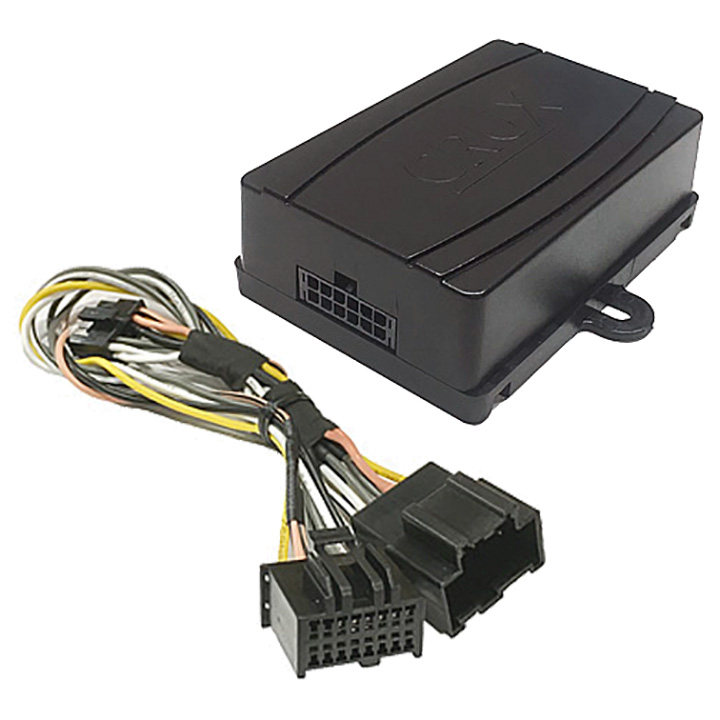

PRODUCT FEATURES:
– Adds Bluetooth Music streaming to the OEM Radios that are equipped with Factory XM Tuner.
– Maintains the use of the factory XM radio.
– Automatically pauses BT Streaming when a call is received, and resumes when the call is ended.
– Easy installation at the XM tuner location. No need to remove the radio.
– Hear Navigation App voice prompts from the factory speakers.
– Magnetic Phone Mount Included.
NOTES:
- Vehicle must have an external factory XM Tuner. See page 3 for external XM tuner locations.
- Radio must be in Bluetooth mode in order to hear Navigation app voice prompts.
- The BTS-GM1X will shut down unless a device is paired within 10 minutes. To turn the module back on, press AM or FM then the XM button or press and hold the SEEK DOWN button.
- Handsfree feature is not available. Use the phone to make and receive phone calls.
INSTALLATION INSTRUCTIONS:
Below is a sample installation of the BTS-XM1 on a GMC Denali. The XM tuner is behind the glove box. Other vehicles may have the XM tuner at a different location such as in the trunk or on some SUVs, the rear panel where the tire jack is located. For a list of XM tuner locations, please see page 3.
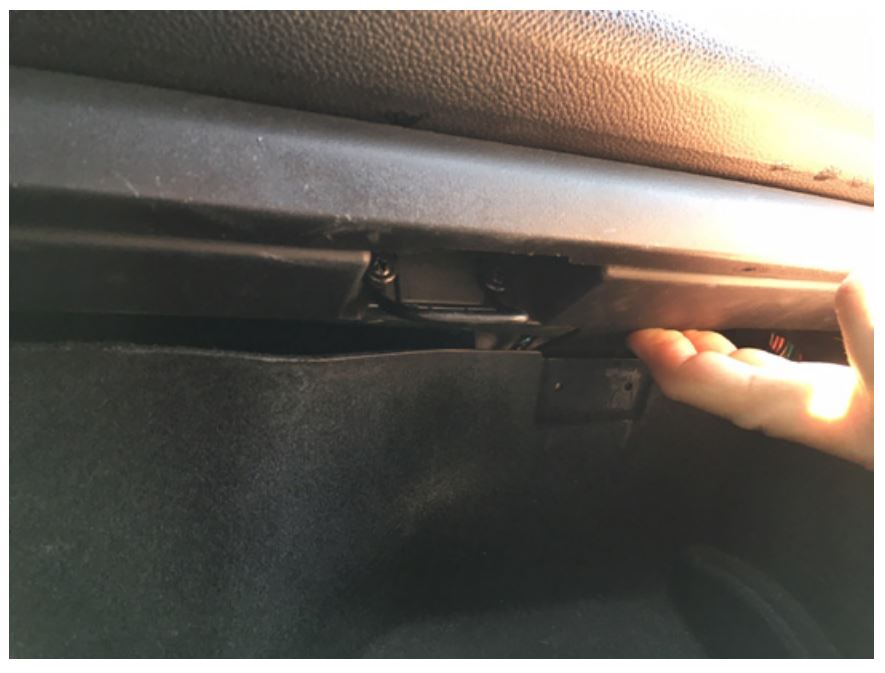
- Open the glove box and push up on the locking tab to release the glove box.
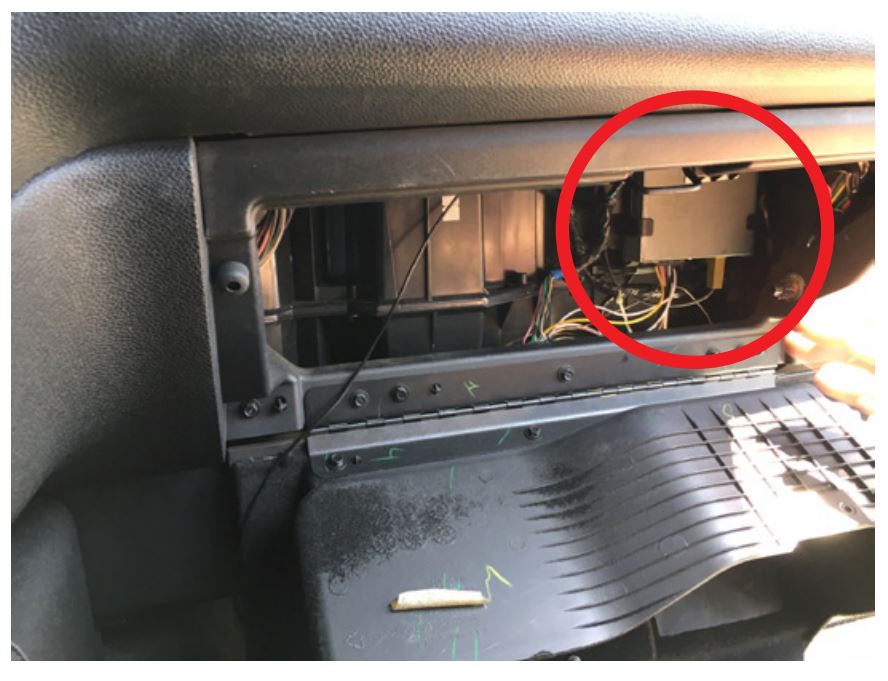
- Locate the factory XM tuner.
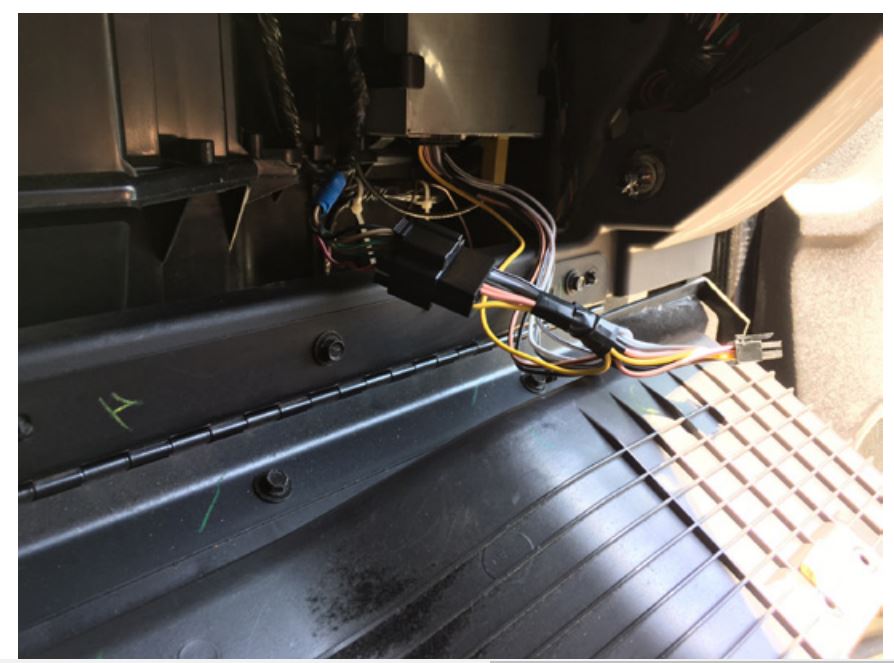
- Unplug the factory 16-pin XM tuner connector and plug it into the 16-pin mating connector of the BTS-GM1X harness.
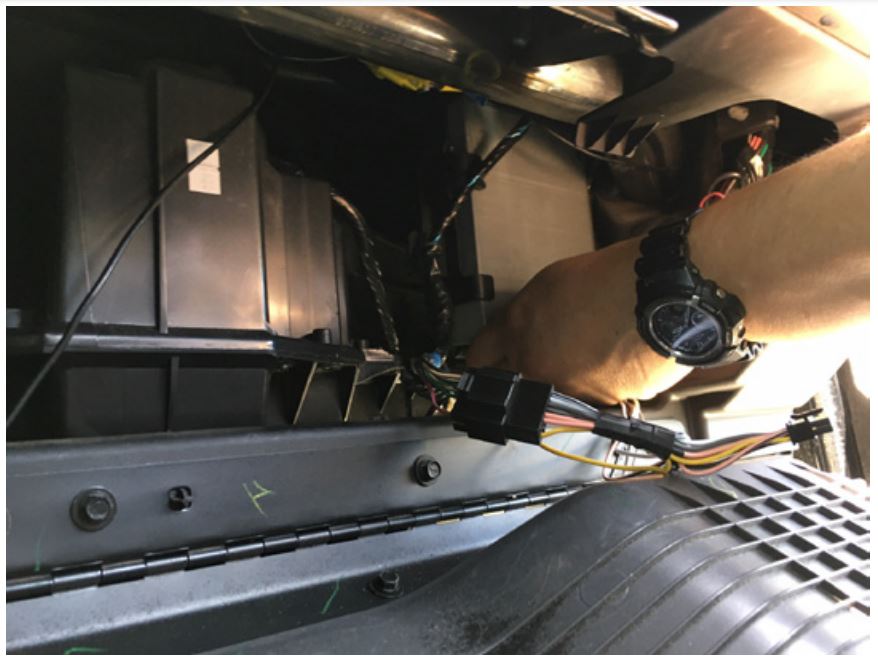
- Plug the other 16-pin connector of the BTS-GM1X harness to the XM tuner.
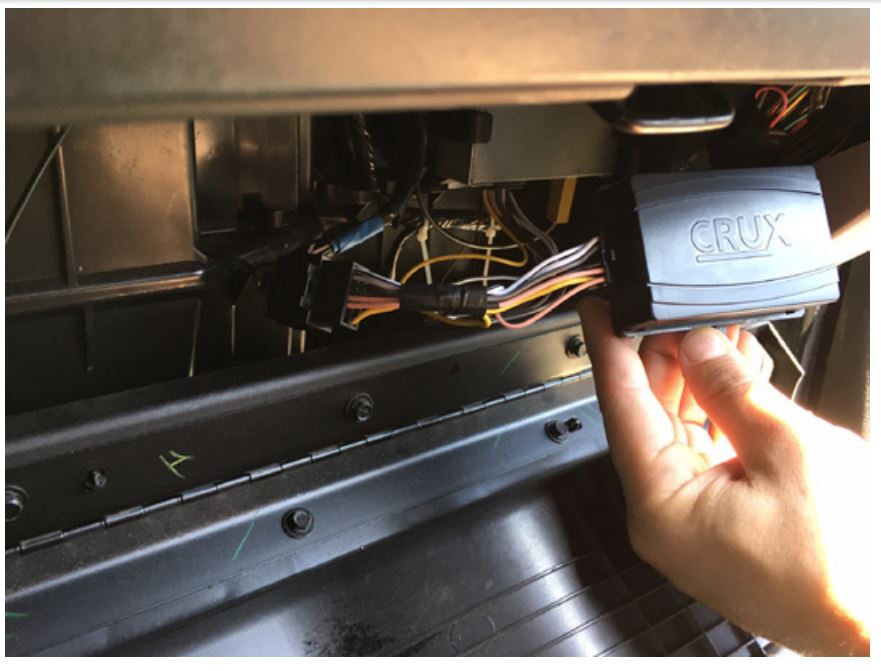
- Plug the 12-pin Molex connector to the BTS-GM1X module.
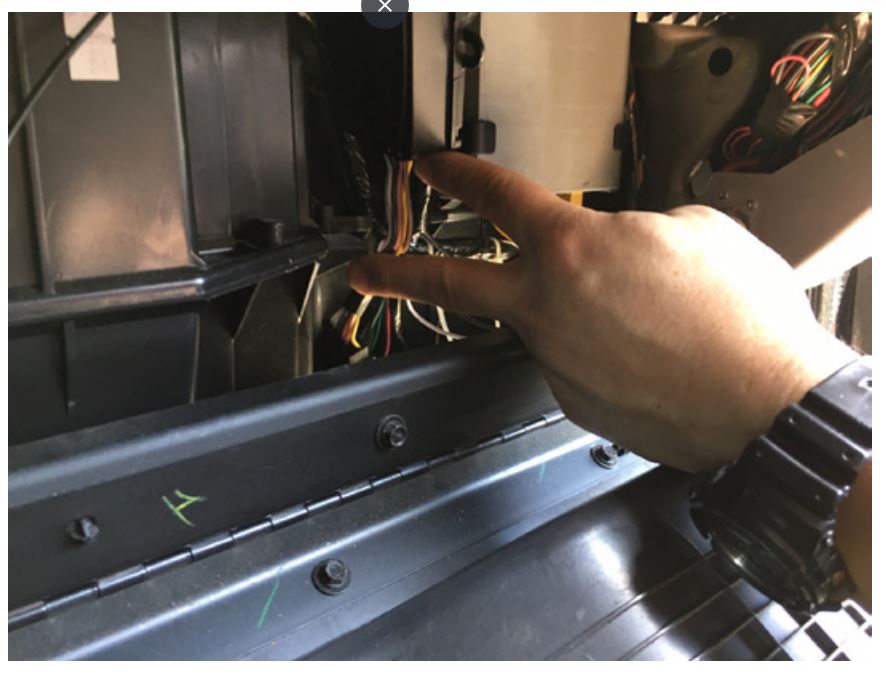
- Use cable ties to secure the module.
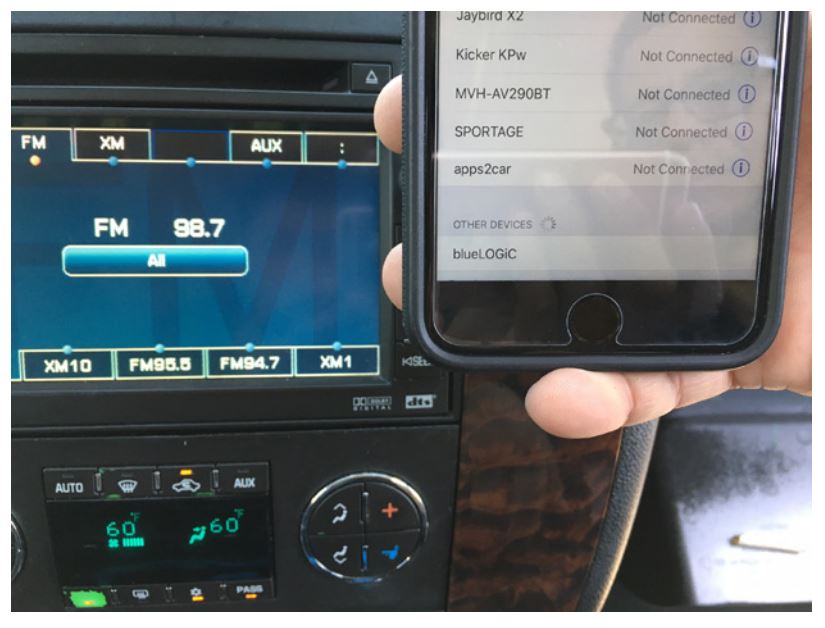
- Go to the Bluetooth setting on your phone and connect to blueLOGIC.
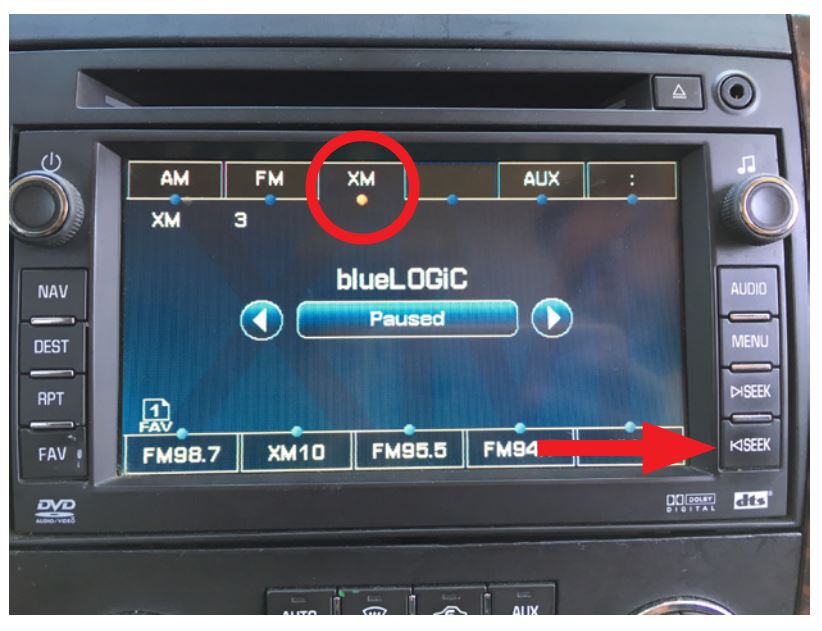
- Go to XM mode on the radio and press SEEK DOWN until you hear a beep. Confirm that blueLOGIC is shown on the screen. Play music from your
phone and the audio will be heard from the factory speakers.
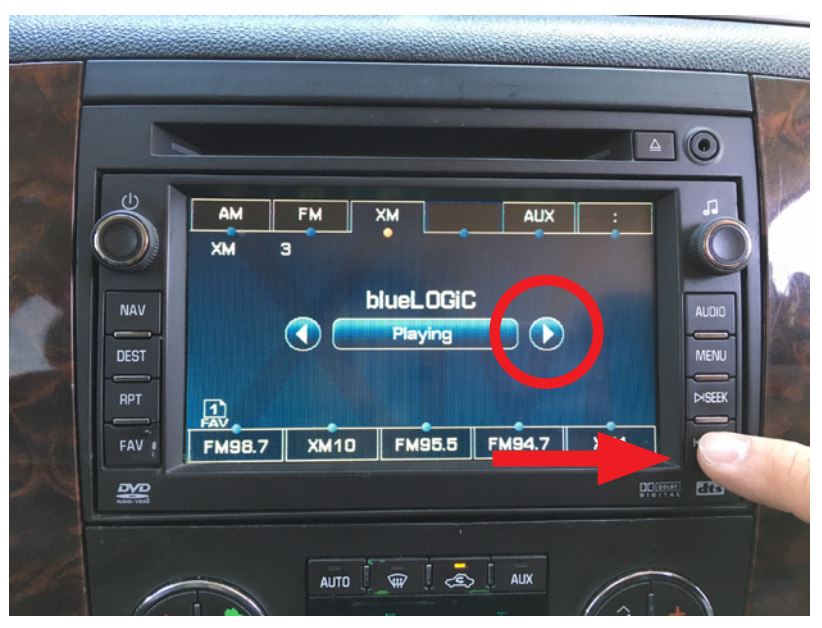
- Press the SEEK DOWN button until you hear a beep to toggle between XM
and Bluetooth A2DP mode. If the music is paused, press the RIGHT ARROW button on the screen. See Note below.
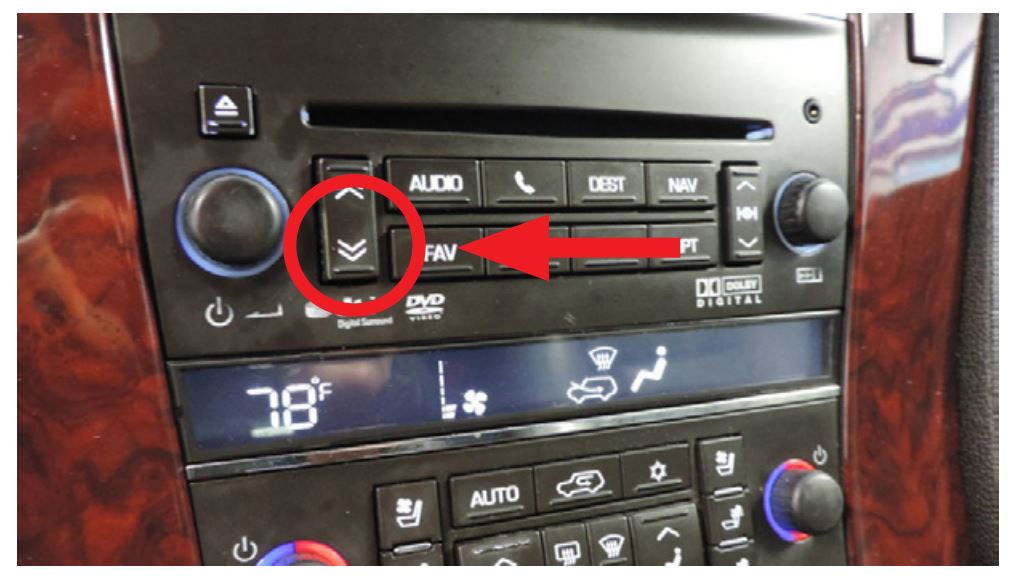
NOTE: On some Cadillac models, press the PRESET DOWN button to toggle
between XM and Bluetooth A2DP instead of the Seek Down button.
MAGNETIC PHONE MOUNT ASSEMBLY AND USE:
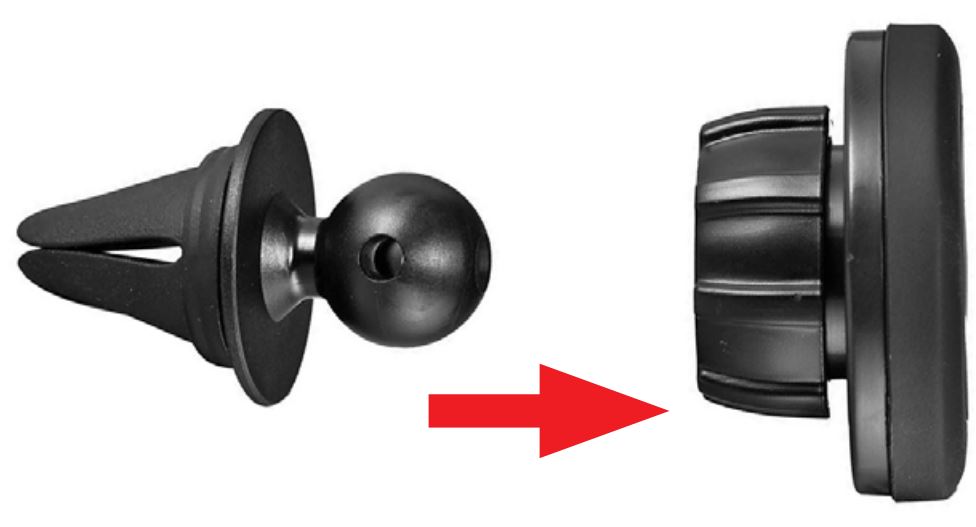
- Pop-in magnetic head to base socket.
- Tighten locking nut to desired tilt.
- Slide into the AC vent grille.
- Use the desired metal plate size and stick on the back of the phone or insert behind the phone case.
VEHICLE APPLICATIONS:
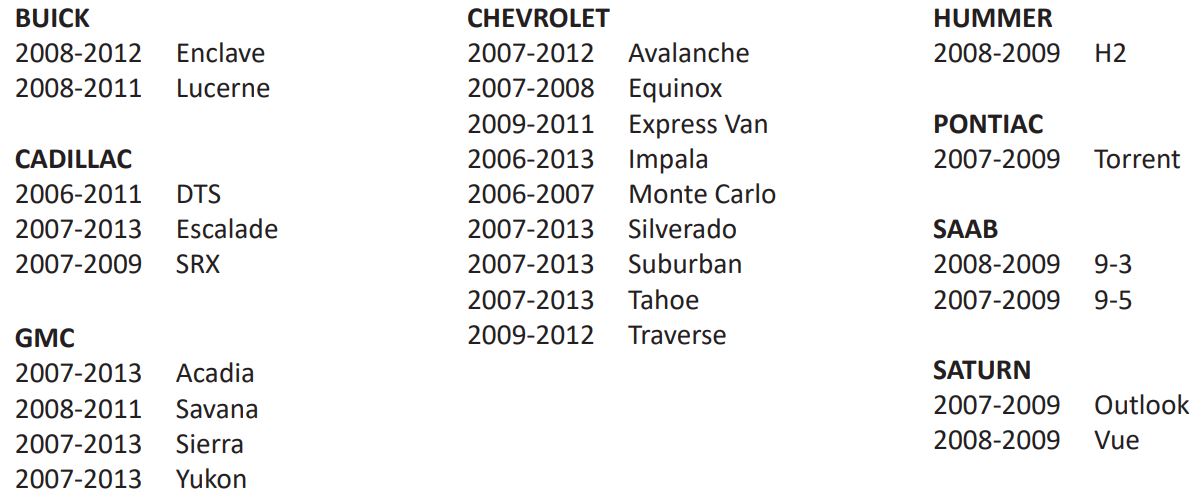
APPLICATION TUNER LOCATION
BUICK
2008-2012 Enclave Cargo Area – Behind Left Rear Quarter Panel Trim
2008-2011 Lucerne Trunk – Behind Left Rear Quarter Panel Trim
CADILLAC
2006-2011 DTS Trunk – Behind Left Rear Quarter Panel Trim
2007-2013 Escalade Behind Glove Box as shown in instructions
2007-2009 SRX *EXTENSIVE Disassembly Required* Cargo Area – Behind Right Rear Quarter Panel Trim
CHEVROLET
2007-2012 Avalanche Behind Glove Box as shown in instructions
2007-2008 Equinox Cargo Area – Behind Left Rear Quarter Panel Trim
2009-2011 Express Van Behind Drivers side Steering Column Knee Panel
2006-2013 Impala Trunk – Behind Right Rear Quarter Panel Trim
2006-2007 Monte Carlo Trunk – Behind Right Rear Quarter Panel Trim
2007-2013 Silverado Behind Glove Box as shown in instructions
2007-2013 Suburban Behind Glove Box as shown in instructions
2007-2013 Tahoe Behind Glove Box as shown in instructions
2009-2012 Traverse Cargo Area – Behind Left Rear Quarter Panel Trim
GMC
2007-2013 Acadia Behind the Lift Gate Motor
2008-2011 Savana Behind Drivers Side Steering Column Knee Panel
2007-2013 Sierra Behind Glove Box as shown in instructions
2007-2013 Yukon Behind Glove Box as shown in instructions
HUMMER
2008-2009 H2 Behind Glove Box as shown in instructions
PONTIAC
2007-2009 Torrent Cargo Area – Behind Left Rear Quarter Panel Trim
SAAB
2008-2009 9-3 Cargo Area – Behind Right Rear Quarter Panel Trim
2007-2009 9-5 Cargo Area – Behind Right Rear Quarter Panel Trim
SATURN
2007-2009 Outlook Cargo Area – Behind Left Rear Quarter Panel Trim
2008-2009 Vue Cargo Area – Behind Left Rear Quarter Panel Trim
