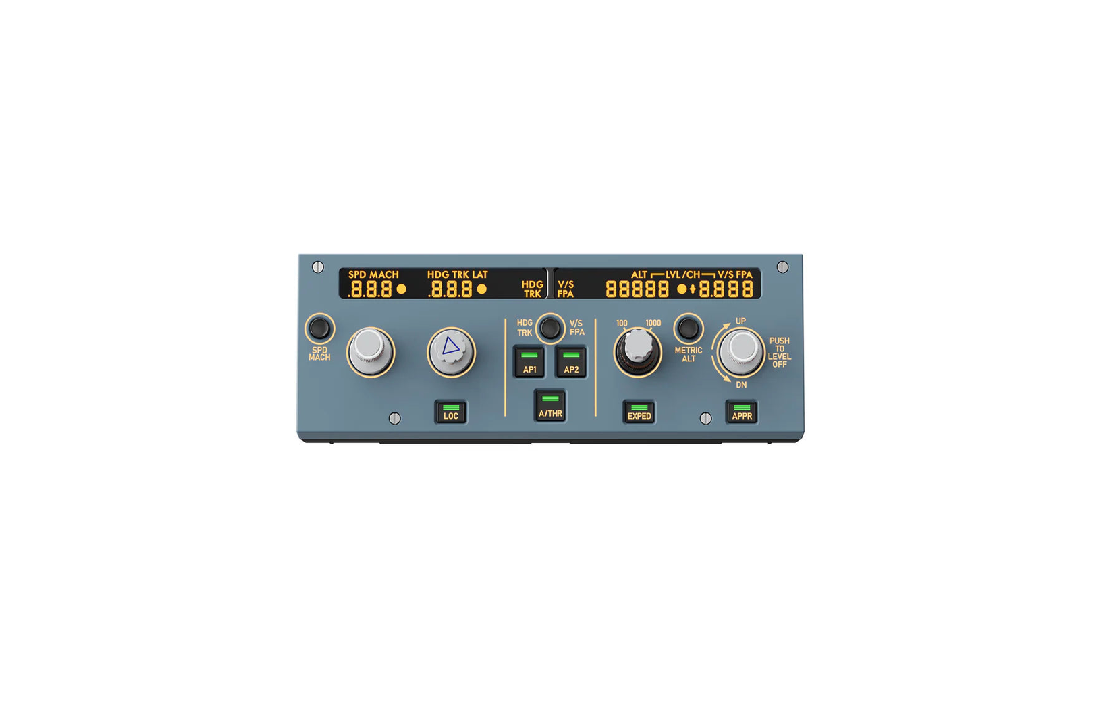
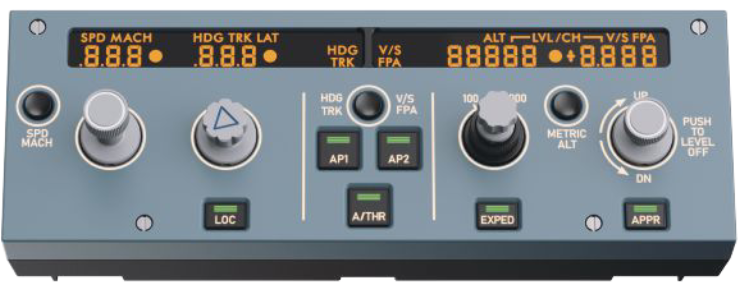
MOZA MA3F Electronic Flight Control Modules User Manual
 https://support.mozaracing.com/en/support/solutions/70000323623
 User Manual
Basic Information
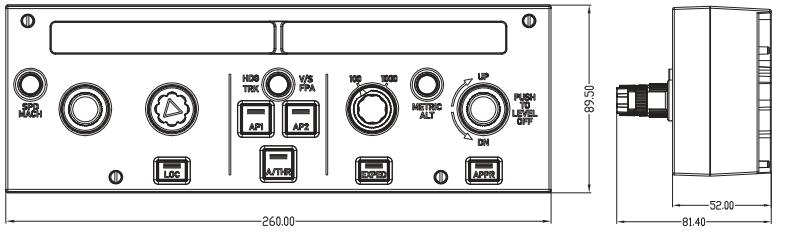
Connection Ports :
Hole Pattern :
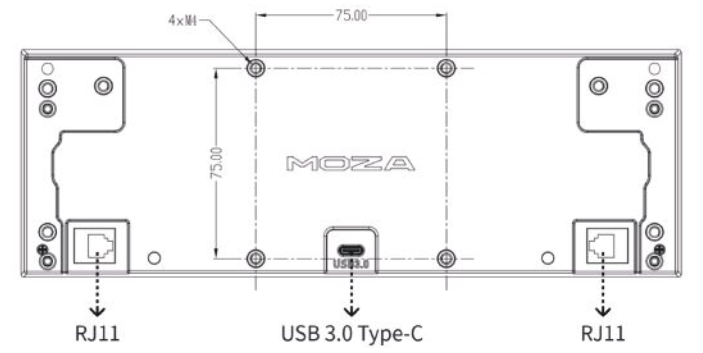
The rear panel features M4 threaded studs with a standard 75 × 75 mm VESA pattern, allowing installation on MOZA and standard VESA mounts, the included desktop stand, and most standard monitor mounts.
User Guide
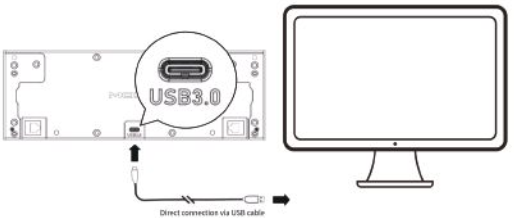
Connect to PC
- Use the included USB Type-C cable to connect the device to your PC.
- Once connected successfully, the display and the button backlights will turn on, and the device will appear as connected in the MOZA Cockpit software.
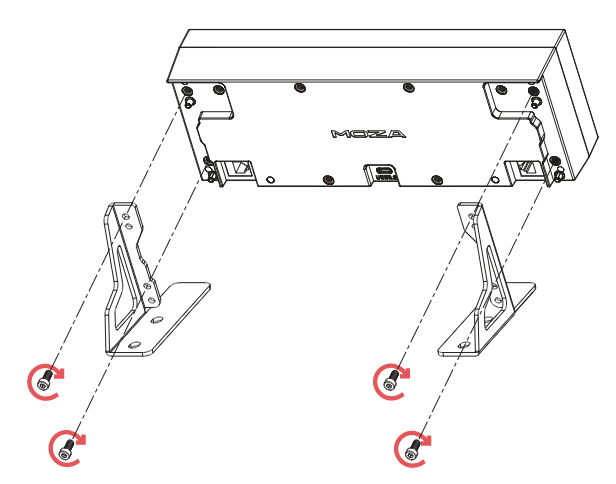
Installing the Desktop Stand
Assemble the included desktop stand following the installation instructions provided.All included screws are M4 × 10 mm.
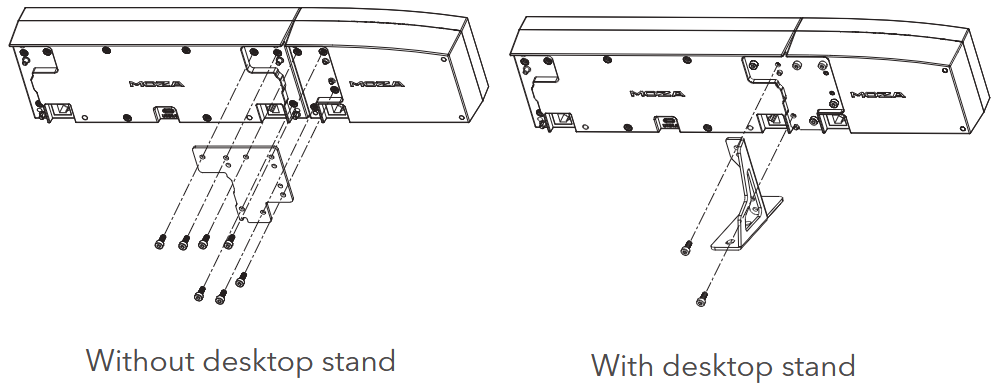
Installing the EFIS Module
If you have purchased the optional EFIS modules (EFCM L/R):
- Attach the EFIS modules to the EFCM main unit.
- The installation procedure is identical for both the left and right EFIS modules.
- Install the mounting plate and desktop stand first.
Connect the EFIS modules using the included RJ11 cable.
MOZA Ccokpit Software Overview
Main Page
The main page displays the operational status of all connected devices, including the base, flight stick, throttle, rudder pedals, instrument panels, and more, while also enabling quick game launches.
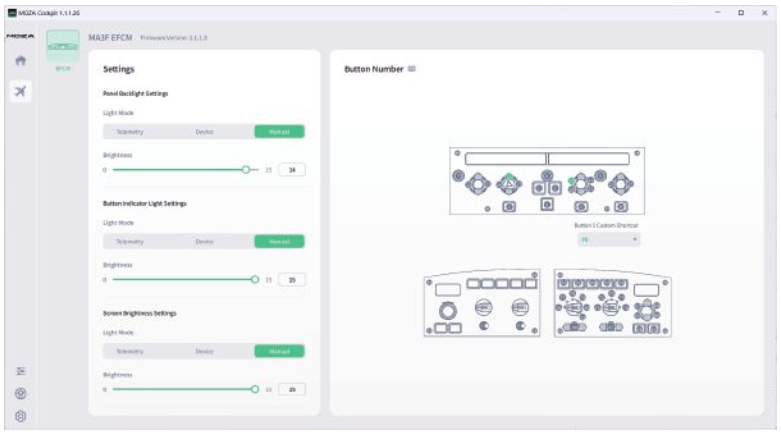
MA3F EFCM Panel Settings
Lighting Settings
Users can configure the panel backlighting using one of the following modes:
- Telemetry Mode:
Automatically adjusts panel brightness in real time based on in-game lighting conditions. - Custom Mode:
Manually adjust panel brightness via the MOZA Cockpit software.
Button Binding
Users may assign the following functions to the EXPED button on the MA3F EFCM panel:
- T.O. CONFIG
- FD
- LS
- PA
Extended Functions
When all MA3F EFCM components are installed (EFCM + Left EFIS + Right EFIS), extended EFIS functionality is enabled on both side modules.
Precautions
- Do not expose the device to rain or humid environments to prevent fire/electric shock hazards.
- Avoid using the device under direct sunlight.
- Recommended ambient temperature: 5°C to 35°C.
- For your health, manage gaming time appropriately.
- Not suitable for children under 6 years old. Small parts may pose a choking hazard.
- Children under 13 years old must use under parental supervision.
- Unauthorized disassembly will void the warranty.
- Repairs or component replacements must be performed exclusively by authorized service centers.
- Keep the device away from heat sources.
- Disconnect the power cable when not in use for extended periods.

Manufacturer: Shenzhen Gudsen Technology Co., Ltd
Address: Room 1903-1904, Building 3, Nanshan ZhiyuanChongwen Park, No. 3370 Liuxian Avenue,Nanshan District, Shenzhen China
Web: www.mozaracing.com
E-mail: info@mozaracing.com
Made in China
EU Representative: Gudsen Technology EU GmbH
Address: Birkenstrasse 23, 40233 Düsseldorf
Contact: JUNWEN DING
Email: support@gudsen.com
UK Representative: Gudsen Technology UK Limited
Address: Tc-Abo, Luminous House, 300 South Row Milton Keynes, MK9 2FR, United Kingdom
Contact: JUNWEN DING
Email: support@gudsen.com