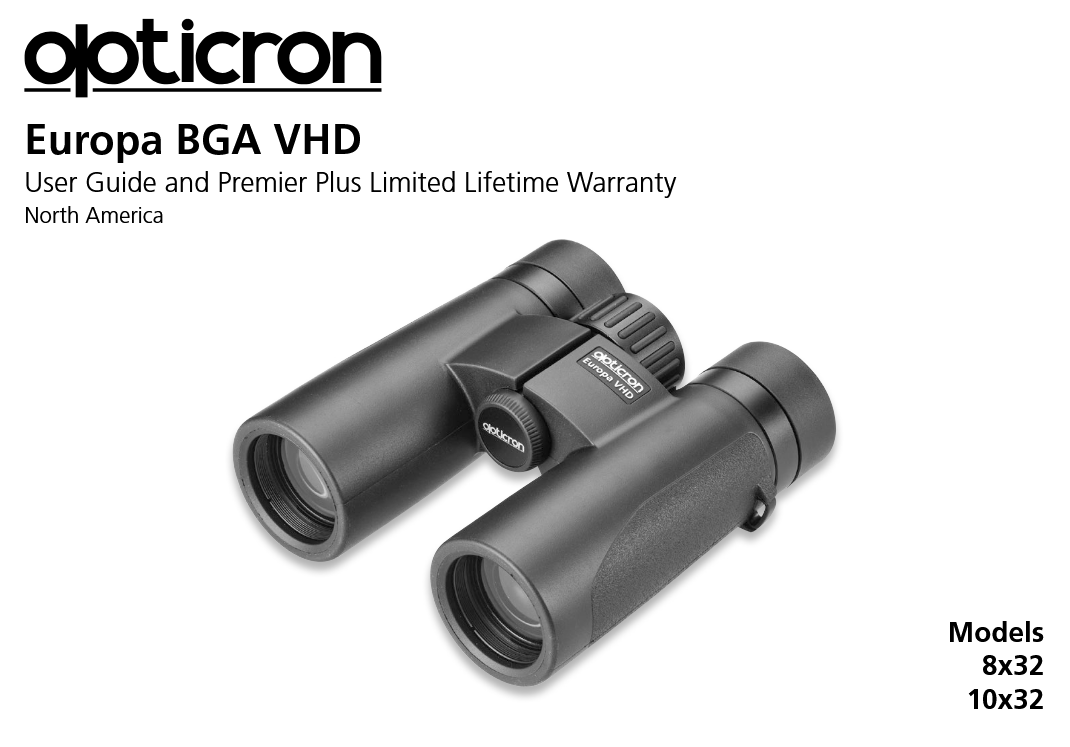
opticron 8×32,10×32 Europa BGA VHD User Guide
Features & Specifications
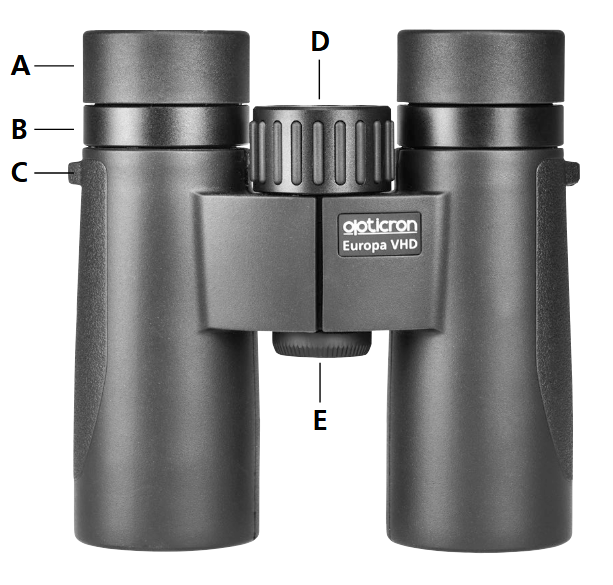
A 4-stage rotating retractable eyecup assembly
B Diopter adjustment ring
C Anchor point for connecting binocular strap
D Wide band focusing (infinity to 5.9ft close focus)
E Integral tripod adapter socket -unscrew to fit Binocular Tripod Mount

Accessories
included

optional

User Instructions
To help you get the best results from your equipment please read the following instructions carefully.
Retractable rubber eyecups and wearing glasses
Opticron Europa BGA VHD binoculars provide the full field of view when wearing glasses. To get the maximum field of view with glasses on, turn the eyecup clockwise into the ‘down’ position. Remember to return them to the upright position if you or anybody else wants to use them without glasses.
Adjusting to obtain a single picture
To adjust to the spacing of your eyes simply rotate the two sides of the binocular around the center hinge until a single rounded picture is obtained when looking through both eyepieces.
Adjusting for maximum sharpness
People often have slightly different vision between their eyes. When using binoculars, this difference can be compensated for by setting the diopter adjustment ring located on the right hand side of the binocular below the eyepiece.
To set the binoculars, close your right eye and look through the left eyepiece with your left eye and using the center focus wheel – focus on an object of your choice until it is clear and sharp. Next, close your left eye and look through the right eyepiece with your right eye. You may find the object being viewed is not absolutely sharp and this can be corrected by rotating the diopter adjustment ring (but without turning the center focus wheel) until the object being viewed becomes sharp. The binoculars are now set and a perfectly clear and sharp image should be attainable when using both eyes together. To focus at different distances simply rotate the center focus wheel.
Care and cleaning
Binoculars require little maintenance but occasionally the outside surfaces of the eyepieces and objective lenses will need cleaning. To avoid damaging these surfaces please read the following carefully.
(i) Gently remove excess dirt and dust using compressed air or a soft brush.
(ii) Breathe on exposed glass surface and then wipe with an optical cleaning cloth in a circular motion until the surface is clean again.
Do not attempt to dismantle the instrument as this will invalidate the warranty.
Cold weather
In cold weather the external lens surfaces may mist up when moving the instrument from cooler air outside to warmer air inside. If this occurs, leave the instrument to stand for a few minutes until any condensation evaporates.
WARNING
Never under any circumstances use a binocular to view the Sun. Doing so will cause serious damage to your eyes.
We hope you enjoy using your new binocular. If you have any problems or damage it in any way our Service Department is on hand to help you.
Warranty
Model: …………………………………………………………
Serial No: …………………………………………………………….
Purchase Date: ………………………………………………
Dealer: ………………………………………………………………..
The Premier Plus Limited Lifetime Warranty covers all the optical and mechanical components as well as the outer protective armor.
In the case of accidental damage or defects attributable to faulty parts or assembly we will assume responsibility for the full costs of repair up to 5 years from the date of purchase. We reserve the right to decide whether defective parts or products should be repaired or replaced.
For the next 5 years your product is covered for defects attributable to faulty parts or assembly and we will assume responsibility for those costs only, charging labor costs to carry out the repair.
The warranty does not cover:
a. Accessories including neck straps, rainguards, dust caps, objective lens covers etc. which are covered by our standard warranty.
b. Loss, theft, deliberate damage and repairs carried out by third parties.
Registration
To register your product and activate the warranty please visit www.opticronusa.com and complete the online Product Registration Form.
Premier Plus Limited Lifetime Warranties are available on new instruments purchased from participating dealers and are transferable. If you part with your instrument please make sure the new owner has a copy of your original proof of purchase and re-registers their ownership at www.opticronusa.com.
Privacy
Opticron takes your privacy seriously and we do not share personal information with other companies.

Address: Unit 21, Titan Court, Laporte Way, Luton, LU4 8EF, UK
Email: sales@opticronusa.com
Servicing & Repair:
If you have a problem with your product please visit the Help and Support section at www.opticronusa.com