
RYDEEN TOMBO 360X Surround View Frameless
Rearview Mirror Guide
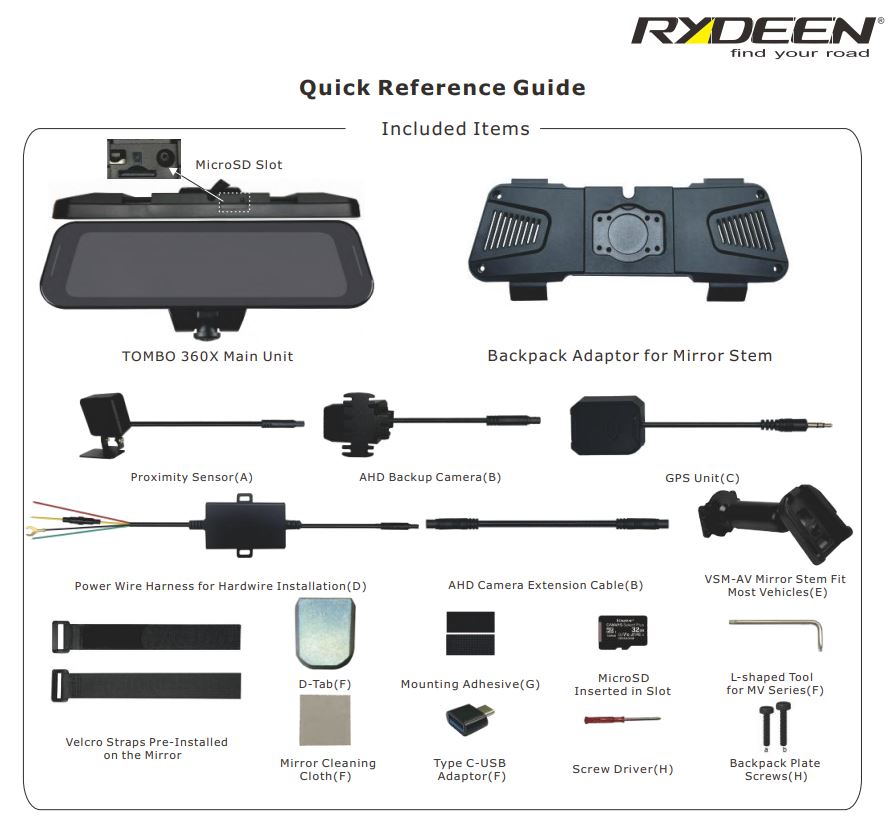
Getting Started
1.Mount the mirror onto the vehicle
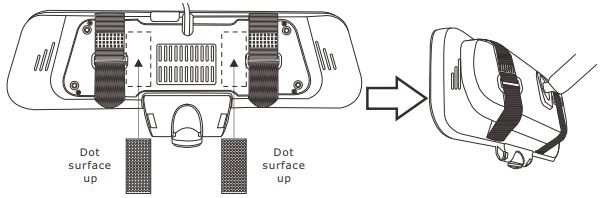
Universal Mount Solution Mount the TOMBO 360X onto the mirror using provided Velcro straps. Paste the adhesive provided in the position as shown in the picture below.
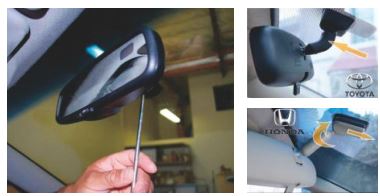
Mirror Replacement Method Remove the existing mirror and unplug the connector, if one exists. (Note: All vehicles use different mounting solutions. If necessary, consult your local automotive dealer or installation professional for specific instructions.
Note: If your vehicle uses a universal D-Tab mount, do not remove the D-Tab and use the VSM-AV mount provided.
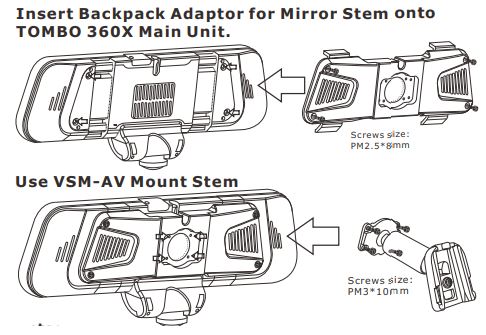 Note: If the included VSM-AV mount does not fit the factory windshield tab, please use the VSM-UNI2 (SOLD SEPARATELY). Screws size reference (a:PM2.5*8mm b:PM3*10mm ).
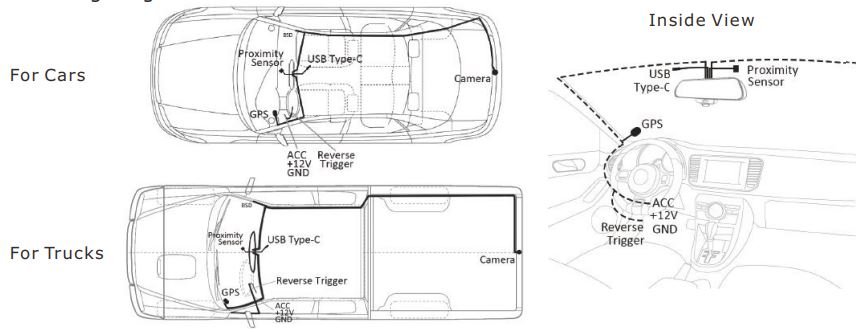
2.Wiring diagram
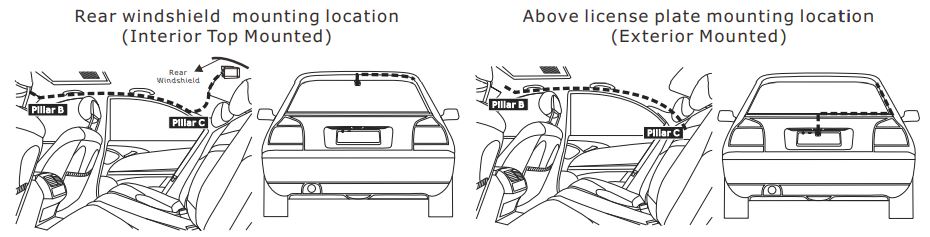
3.Backup camera installation position option diagram
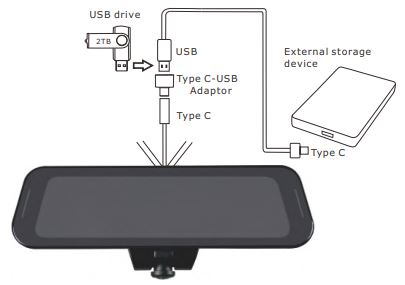
4.Backup Function (To SSD or USB drive)
Note:
When using an external storage device to store the transferred files, you must first format the storage device using your PC in “exFAT” file system format.
Touchscreen Operation
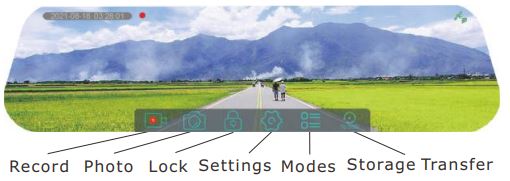
5.Main User interface
6.Settings

7. Modes
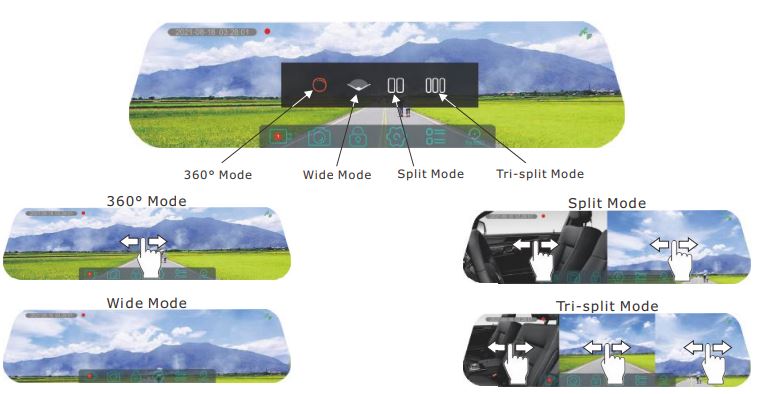
Note:
- In wide mode, the front camera should be facing forward to give you a super wide viewing angle. Viewing angle
adjustment is not available within this mode. - Dash camera will memorize last view setting.
Power Button Operation
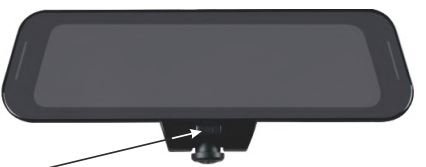
8.Short press to (turn On/Off) the LCD Monitor. Long press to Power On/Off.
Technical Support Contact Info
9.For any questions about TOMBO 360X, please contact your retailer or RYDEEN Technical Support:
- Phone: 1-877-777-8811 (within USA only) or 1-310-787-7880
- Email: tech1@rydeenmobile.com
- Web: https://rydeenmobile.com/contact-support/
*For more detail instructions, please visit our website at www.rydeenmobile.com/manual-catalog-downloads/